The MyTradeLens blog
AI trade review & trading journal guides
Ask better questions about your trades with AI. Explore MyTradeLens guides to AI trade review, options P&L, journal notes and supported broker imports.
Explore supported brokers and prop firms →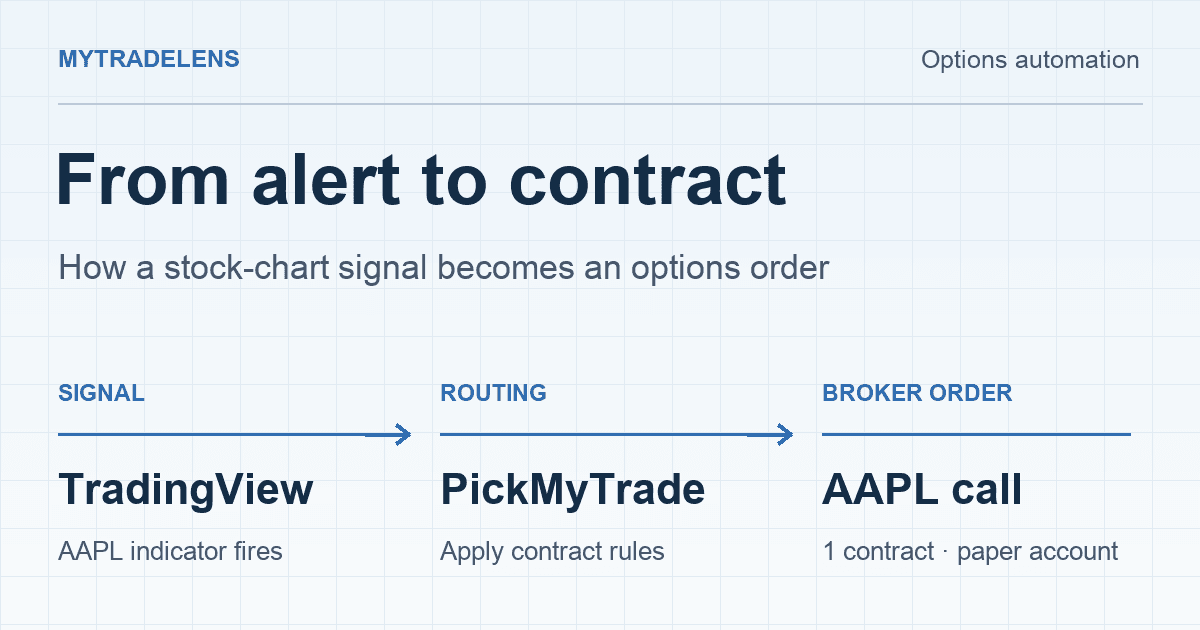
From a TradingView alert to an options order with PickMyTrade
An AAPL chart alert can tell you when to act. Which call should the broker receive? Compare IBKR, TradeStation and Tradier, then follow one AAPL call from strike selection to a paper exit.
Read the guideAI stock scanner: build a customized setup for a ticker
Explore how an AI stock scanner can turn a ticker into a customized setup, and learn what to check before using it in your trading research.
Read the guideAI trading journal: ask questions about your actual trades
See how MyTradeLens uses saved trades, fees, journal notes and setups for AI trade review, with practical questions and a checklist for checking answers.
Read the guideAI trading coach: 10 questions to ask about your trades
Use these 10 questions with MyTradeLens AI to review P&L, fees, setups, journal notes and goals using a clear account, date range and sample size.
Read the guideHow to run a weekly trading review with AI
Build a weekly AI trading review around verified totals, trading costs, setups and journal notes. Includes a six-trade worked example and a review worksheet.
Read the guideNinjaTrader and Rithmic trading journal: import prop-firm trades
Learn which NinjaTrader and Rithmic CSV exports MyTradeLens supports for prop-firm trade reviews, and how to check account history, fees, and results.
Read the guideTopstepX trading journal: export and import your Trades CSV
Export a TopstepX Trades CSV, import it into a trading journal, and verify account, session dates, fees, and P&L before reviewing your performance.
Read the guide
PropPlanets: compare prop firms
Explore free futures and forex/CFD prop firm comparisons, with firm profiles covering account models, trading rules, costs, and payout conditions.
Read the guide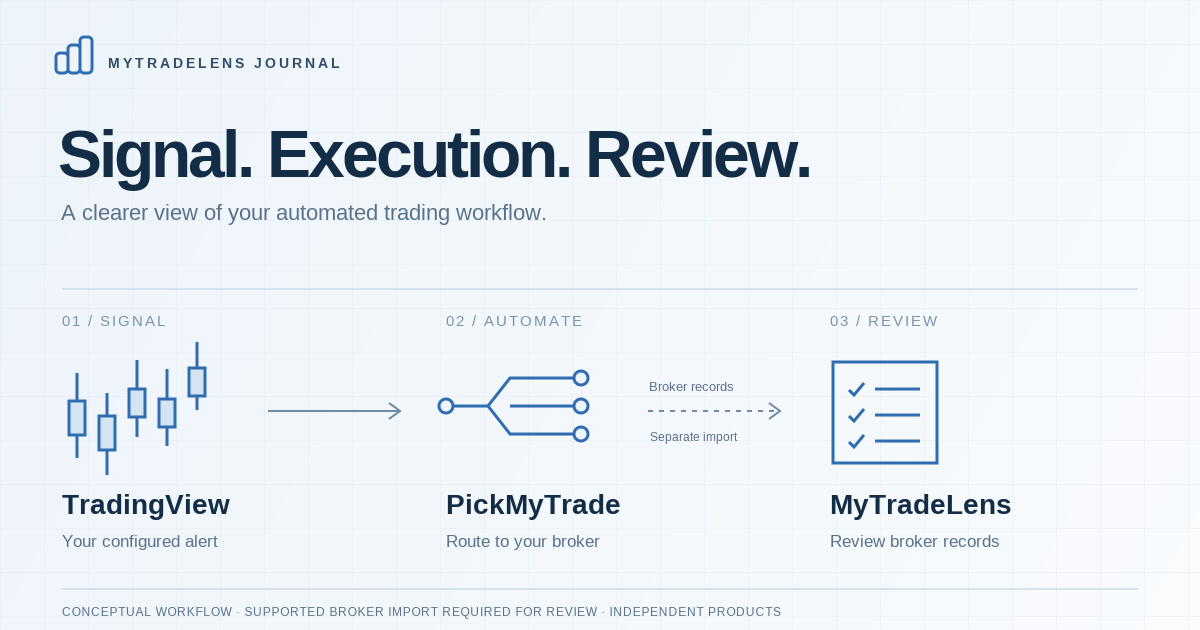
PickMyTrade and TradingView: from automation to trade review
A practical look at TradingView automation with PickMyTrade, plus a clear workflow for reviewing broker-confirmed trades in an independent trading journal.
Read the guideJournal tags in MyTradeLens: find and revisit related trading days
Add consistent tags to your journal notes, find matching entries in the Notebook, and use Dashboard filters to revisit the trading days behind them.
Read the guideChoosing a TradeZella alternative: an import and review checklist
Compare TradeZella and MyTradeLens on monthly pricing, broker imports, trade replay, and options review before choosing a trading journal.
Read the guideIBKR trading journal: Activity Flex Query setup and troubleshooting
Configure an XML Activity Flex Query, connect its token and Query ID to MyTradeLens, and check imported fills, dates, and fees.
Read the guideMoomoo trading journal: CSV import format and first-trade checks
Import a Moomoo filled-history CSV into MyTradeLens, check required columns, and understand merge behavior, limits, and troubleshooting.
Read the guideOptions position sizing: record risk and contract size
Work through a long-option cost example, record contract exposure, and separate journal goals from broker-enforced risk controls.
Read the guideWeekly trading review: a practical 20-minute checklist
Reconcile the week, review one win and one loss, compare notes with execution records, and write one specific question for the next session.
Read the guideOptions trading journal template with a worked example
Download a free Markdown options trading journal template. Work through partial exits and fees, then use AI to review supported saved trades.
Read the guideSchwab trading journal: connect, sync, and check your first import
Set up Schwab imports in MyTradeLens, understand Quick refresh versus Sync All, and troubleshoot missing history or a reconnect warning.
Read the guideTrack options P&L: fills, fees and expectancy
Calculate a synthetic options round trip after fees, reconcile partial closes, and read win rate and expectancy with sample size in view.
Read the guideRevenge trading: review losses, goals and journal notes
Document what happened after a loss, set review thresholds in MyTradeLens, and understand what imported-data nudges can and cannot tell you.
Read the guidePut it into practice
Import supported trade history, check your results, then ask MyTradeLens AI about your P&L, recorded costs, setups and journal notes.
14-day free trial · Cancel anytime.
$15 for your first paid month, then $20/month.
Enter a valid partner code at signup. For new subscriptions.